
How to prepare for e-Invoicing?
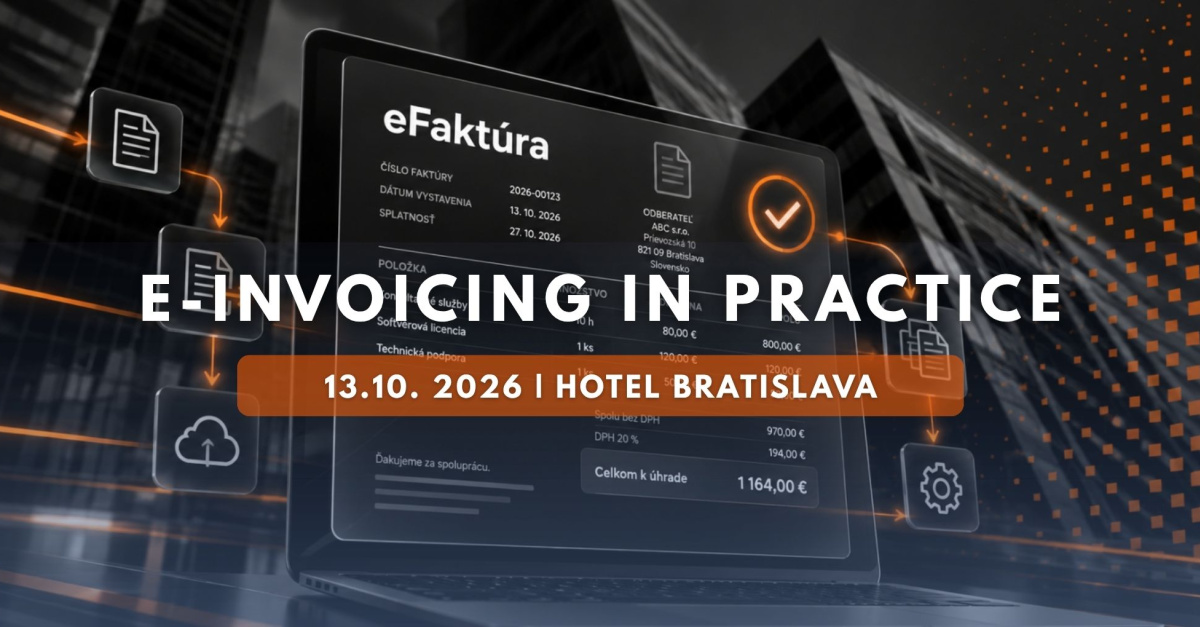
What will e-invoicing mean for Slovak companies and organizations? And how can they prepare for this change?
e-INVOICING 2027
From 2027, electronic invoicing will become part of everyday operations for Slovak companies and organisations. This is not merely a change in invoice format. The new invoicing model will affect accounting, internal processes, data flows, as well as information and ERP systems. So what will change compared with today, who will be affected, and what can you start checking now?
Electronic invoicing
What will change for you compared with today?
Today, a company will often create an invoice in its accounting software, save it as a PDF and send it by email. The recipient then opens the document and processes the data in their accounting or ERP system.
With electronic invoicing, what matters most will no longer be how an invoice looks on screen. The key element will be structured data that systems can exchange and process automatically.
What will need to be addressed
- issuing an electronic invoice
- the method of electronic delivery
- structured data and XML
- integration with accounting or ERP systems
- invoice validation, matching and posting
What you need to check
- readiness of your accounting and ERP systems
- how invoices are issued and received
- your software provider’s implementation plan
- where data is currently re-entered manually
- who will be responsible for preparation within your company
Official information on electronic invoicing is also available on the website of the Financial Administration of the Slovak Republic .
Practical impact
Does e-Invoicing apply to you?
The change will not look the same in every company. A self-employed professional using simple accounting software will require a different level of preparation from an organisation that uses an ERP system, invoice approval workflows and multiple internal applications.
A simple example
How does a single e-Invoice move through the entire process?
The easiest way to explain the change is to follow a single invoice. Instead of a standalone PDF document, the focus shifts to data that information systems can process further.
The invoice is created
The company creates it in its accounting, invoicing or ERP system.
The data is sent
The system prepares the electronic invoice data and sends it to the recipient using the designated delivery method.
The recipient’s system receives the invoice
The data enters the environment in which the recipient processes its invoices.
Validation and posting follow
The invoice can then proceed through validation, matching, approval and final posting.
Without the technical jargon
Three terms you will hear in connection with e-Invoicing
Electronic invoicing comes with a number of technical terms. However, you do not need to be an IT specialist to understand the basics.
Preparation
What can you check today?
You do not need to know every technical detail to start preparing. A useful first step is to map how an invoice is created in your organisation and what happens to it afterwards.
- Identify which accounting, invoicing or ERP system you use. If you use several systems, also map where data is transferred between them.
- Ask your software provider how it is preparing for e-Invoicing. You need to know what will be supported and what will need to be configured or changed.
- Identify who currently issues, receives, checks and approves invoices. These are the points where workflows may change.
- Identify where data is still re-entered manually. Electronic invoicing may significantly change processes in which data is transferred from one system to another.
- Decide who will be responsible for preparation within your company. In a larger organisation, this may involve not only accounting but also IT, finance or the ERP system administrator.
e-INVOICING at a glance
How to prepare for e-Invoicing
The sooner an organisation understands its specific scenario, the easier it will be to prepare its systems and workflows before the new requirement takes effect.
Assess your current situation
Review the software you use, your current invoicing process and the person responsible for preparation.
Prepare and test the process
Set up issuing, receipt, validation and posting, and address any necessary changes with your software provider.
2027
New invoicing model
The organisation has a process in place for issuing, receiving and processing electronic invoices.
Event
e-Invoicing in Practice: from rules to real-world workflows
The main challenge will not simply be understanding that invoicing is changing. What matters is translating the new rules into specific accounting processes and the systems companies use every day.
This is precisely the practical challenge addressed by the event e-Invoicing in Practice , which will take place on 13 October 2026 at Hotel Bratislava.
Rather than looking at legislation in isolation, the event will show the entire process: how an electronic invoice is created, how it is sent, what happens after it is received, and how it can ultimately enter the accounting system.
The event will bring together people working with accounting, financial software, ERP systems and digitalisation. Participants will therefore see the topic not only from the perspective of rules and requirements, but also through the eyes of those responsible for implementing them in real organisational environments. View the event speakers.
Who is the event for?
For accountants, finance managers, company owners and managing directors, public-sector professionals, IT and ERP specialists, and everyone responsible for preparing e-Invoicing-related processes within their organisation.
Event programme
From the fundamentals to real-world workflows
The programme is structured so that participants first understand what electronic invoicing changes and then see how the same process works across different types of organisations and information systems.
The fundamentals and four steps of e-Invoicing
From the basic principle to the complete lifecycle of an electronic invoice.
- what is changing and why preparation matters
- issuing an electronic invoice
- sending and electronic delivery
- receipt, validation and posting
How e-Invoicing will work in different organisations
The same change may have different practical implications depending on the size of the company, the systems it uses and the way invoices are processed.
- self-employed professional and small business
- medium-sized and large company
- local government and public administration
Automation, accounting systems and ERP
The third section will focus on integrating electronic invoicing with real-world systems and automating document processing.
- integration of accounting systems and data
- processes within software providers
- e-Invoicing in ERP environments
- from document receipt to automated posting
Afternoon practical session
Practical masterclasses
The entire afternoon session will be dedicated to masterclasses. Using specific model scenarios, participants will work through the complete process, from issuing and sending an invoice to receiving, validating and posting it.
- the complete e-Invoicing process, step by step
- workflows in accounting and ERP systems
- model scenarios for self-employed professionals, accountants and companies
- public-sector scenarios
- identifying manual data entry, errors and delays
- questions to address with your software provider
The aim of the masterclasses is not only to explain what e-Invoicing means, but to show participants how the upcoming change will affect their day-to-day work.
Practical outcome
What should you know after the event?
The outcome should be more than simply knowing that electronic invoicing is coming. The key is to leave with a clearer understanding of what your organisation specifically needs to prepare.
- how e-Invoicing differs from an invoice sent as a PDF
- how issuing, sending, receipt, validation and posting will work
- what you need to check in your accounting or ERP system
- which questions to ask your software provider
- which internal processes may need to be adjusted
- where electronic invoice processing can reduce manual data entry